Lab 3.1 — GPU and Token Metrics
Act 3 is required. You stood up an in-cluster coding agent this morning and spent the afternoon prompting it. That is real GPU time and real tokens. Look at the bill before you leave.
The GPU graph is OpenCode sessions (and the one-time model load), not HTTP hits to /.
|
Estimated time: 15 minutes |
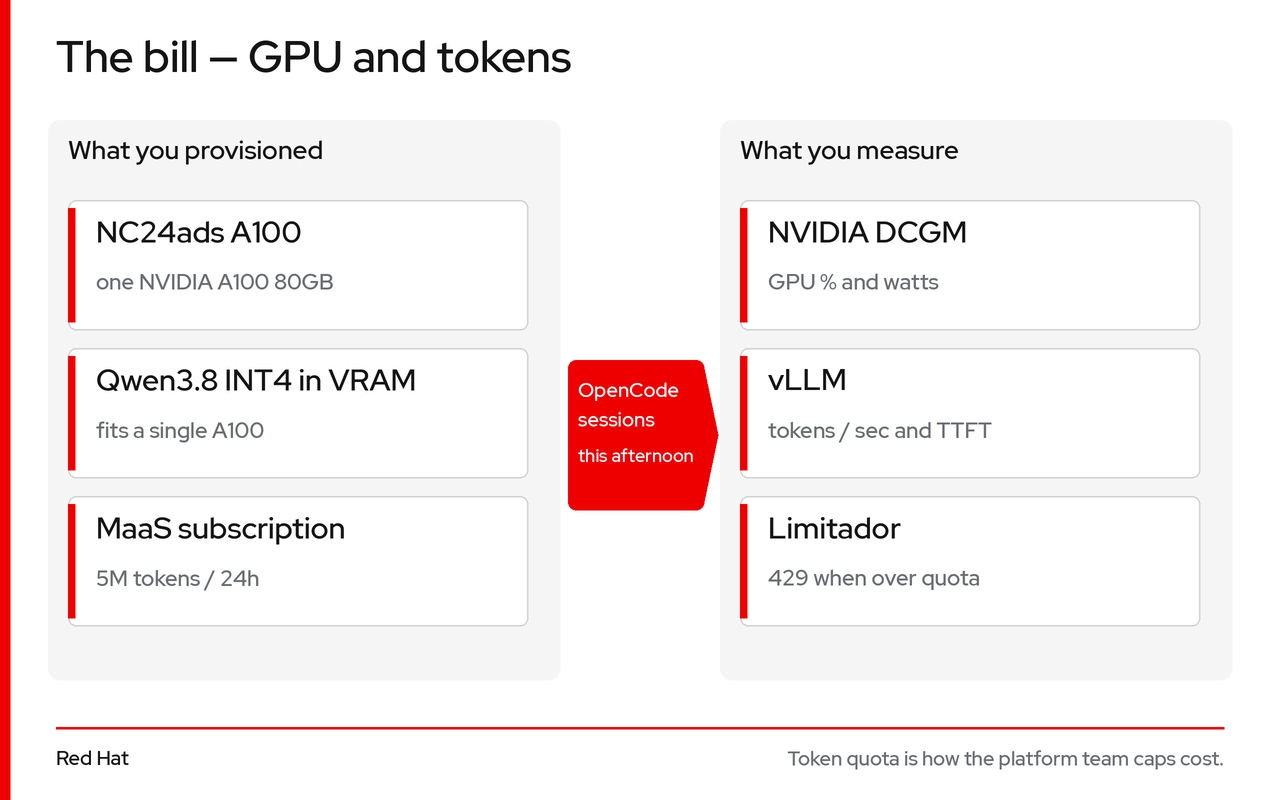
Stay in the Administrator perspective of the OpenShift Web Console. Every graph in this lab is there. The OpenShift AI dashboard is only for the token quota, not for GPU charts.
Two surfaces
| Where | What you open |
|---|---|
OpenShift Web Console → Observe → Dashboards |
NVIDIA DCGM Exporter Dashboard — GPU %, framebuffer, temperature, watts |
OpenShift Web Console → Observe → Metrics |
vLLM PromQL — tokens/sec, time-to-first-token, in-flight requests |
OpenShift AI → Models as a service |
Catalog, the |
These series are already on the cluster (DCGM from the GPU Operator, vllm:… from the Qwen3.8 pod). You are not installing Prometheus.
Part 1: NVIDIA DCGM (Web Console dashboards)
-
Open the OpenShift Web Console and stay in Administrator.
-
Left nav: Observe → Dashboards.
-
Dashboard dropdown: NVIDIA DCGM Exporter Dashboard (ConfigMap
nvidia-dcgm-exporter-dashboardinopenshift-config-managed). -
At the top of the dashboard, set:
-
Instance — the GPU worker (the series labelled
NVIDIA A100/exported_namespace=llm-serving). There is no “instance type” filter; pick that instance, not a CPU worker. -
GPU —
0(this workshop has one A100).
-
-
Time range: last few hours so you see model load and the OpenCode afternoon.
Read these four panels (those names are on the dashboard):
| Panel | What it tells you | What you should see |
|---|---|---|
GPU Utilization |
Compute cores. High during OpenCode prompts, near 0 when idle. |
Idle ≈ 0%. During OpenCode bursts, 30–95%. |
GPU Framebuffer Mem Used |
VRAM: Qwen3.8 weights + KV cache on the 80 GiB A100. |
Once the model is Ready, typically ~35–42 GiB (not the 19.5 GiB checkpoint alone). |
GPU Temperature |
A100 80 GB PCIe slows as it approaches ~85°C. |
Idle ~45–55°C; keep it under 80°C. |
GPU Power Usage |
Watts — the electricity line on the bill. |
Idle ~90–120 W; under load up to ~300 W. |
On GPU Utilization over the last few hours you should see:
-
A spike when weights loaded into VRAM
-
Bursts when you used OpenCode (plan, build, the audit)
-
Idle valleys between prompts — the GPU is not at 100% when nobody is chatting
|
If 50 developers used OpenCode all day, what would this graph look like? When would you add a second GPU node? That is how the platform team justifies a second replica on the |
Part 2: vLLM tokens (Web Console metrics)
There is no separate “model metrics” page in OpenShift AI for this stack. Use the same console.
-
Left nav: Observe → Metrics.
-
Clear any sample query. Paste one expression below into the query box.
-
Click Run queries. Set the time range to the last hour (or the afternoon).
-
Repeat for each query (add a query with Add query, or replace the box).
Names use a colon (vllm:generation_tokens_total), not an underscore. Namespace is llm-serving.
| Paste this | What you should see |
|---|---|
|
Successful completions. |
|
Decode throughput while OpenCode is answering. Read the number on this graph. An A100 80 GB is the card; the rate depends on the prompt. |
|
p95 time-to-first-token. Interactive use should stay under 2–3 seconds. |
|
In-flight requests. 0 when idle. |
|
Queue. 0 unless the GPU is saturated. llm-d’s WVA uses this (and KV-cache %) when KEDA scales replicas. |
If a query returns No datapoints, stay in Administrator → Observe → Metrics (not the Developer perspective) and confirm LLMInferenceService/qwen3 is Ready. User-workload monitoring is already on.
Part 3: Token quota (OpenShift AI dashboard)
Graphs above are usage. The cap is the MaaS subscription — 5 000 000 tokens / 24h. Over quota the gateway returns HTTP 429.
-
In the OpenShift Web Console, open the Application launcher (the grid) → Red Hat OpenShift AI, or go to
https://rh-ai.apps.<apps-domain>/. -
Log in with the same cluster user as
oc. -
Open Gen AI / Models as a service.
-
Find Qwen3.8 /
qwen3in the catalog. The workshop subscription is 5 000 000 tokens / 24h forsystem:authenticated. Extra keys can be minted here; they do not replace the Dev Spaces Secret.
Confirm the same objects from a terminal if you want:
oc get maasmodelref -n llm-serving
oc get maasauthpolicy,maassubscription -n models-as-a-service
oc get tokenratelimitpolicy -n llm-serving
You should see MaaSModelRef/qwen3, MaaSAuthPolicy/qwen3-access, MaaSSubscription/qwen3-workshop, and a Kuadrant TokenRateLimitPolicy derived from the subscription. Auth only → 429 (no quota). Subscription only → 403 (no gateway access). Both are required.
Back in Observe → Metrics, the afternoon’s token count:
sum by (namespace) (increase(vllm:generation_tokens_total{namespace="llm-serving"}[1h]))
sum by (namespace) (increase(vllm:prompt_tokens_total{namespace="llm-serving"}[1h]))
Prompt tokens are usually much larger than generation tokens (OpenCode sends AGENTS.md and the conversation). That is expected.
Rough cost model for this A100 in East US (~$3.67/hr Linux pay-as-you-go). Divide the hourly price by the decode rate on the graph:
Cost/token = 4.78 / (tokens_per_sec × 3600)Example if the graph shows about 80 tokens/sec:
Cost/token           ≈ $0.000017
OpenCode session     ≈ 50 000 tokens → ~$0.83
10 concurrent devs   ≈ 500 000 tokens → ~$8.30 / hour of chatting
The Fortune Cookie route is not on this invoice. Token quota on the MaaS gateway is how you stop an afternoon of OpenCode from becoming an unbounded GPU bill.
| Capability | Mechanism |
|---|---|
Per-group token quotas |
|
Self-service API keys |
OpenShift AI dashboard |
Usage tracking |
vLLM |
Chargeback |
Prometheus → cost model → cloud billing |
✅ Act 3 checkpoint
oc get node -l node.kubernetes.io/instance-type=Standard_NC24ads_A100_v4

oc get llminferenceservice,maasmodelref -n llm-serving

curl -s https://$(oc get route fortune-cookie -n fortune-cookie-dev \
-o jsonpath='{.spec.host}')/healthzNAME STATUS ROLES AGE
ip-10-x-x-x.compute.internal Ready worker ...
NAME URL READY
qwen3 https://maas.apps.<apps-domain>/llm-serving/qwen3 True
{"status":"ok"}You have also opened Observe → Dashboards (DCGM), Observe → Metrics (vllm:…), and the OpenShift AI catalog (5M tokens / 24h).
➡️ Move on to Conclusion & What’s Next.